
Colorbar
A Colorbar needs a colormap and a tuple of low/high limits. The colormap's axis will then span from low to high along the visual representation of the colormap. You can set ticks in a similar way to Axis.
Here's how you can create Colorbars manually.
using CairoMakie

fig = Figure()

Axis(fig[1, 1])

# vertical colorbars
Colorbar(fig[1, 2], limits = (0, 10), colormap = :viridis,
    flipaxis = false)
Colorbar(fig[1, 3], limits = (0, 5),
    colormap = cgrad(:Spectral, 5, categorical = true), size = 25)
Colorbar(fig[1, 4], limits = (-1, 1), colormap = :heat,
    highclip = :cyan, lowclip = :red, label = "Temperature")

# horizontal colorbars
Colorbar(fig[2, 1], limits = (0, 10), colormap = :viridis,
    vertical = false)
Colorbar(fig[3, 1], limits = (0, 5), size = 25,
    colormap = cgrad(:Spectral, 5, categorical = true), vertical = false)
Colorbar(fig[4, 1], limits = (-1, 1), colormap = :heat,
    label = "Temperature", vertical = false, flipaxis = false,
    highclip = :cyan, lowclip = :red)

fig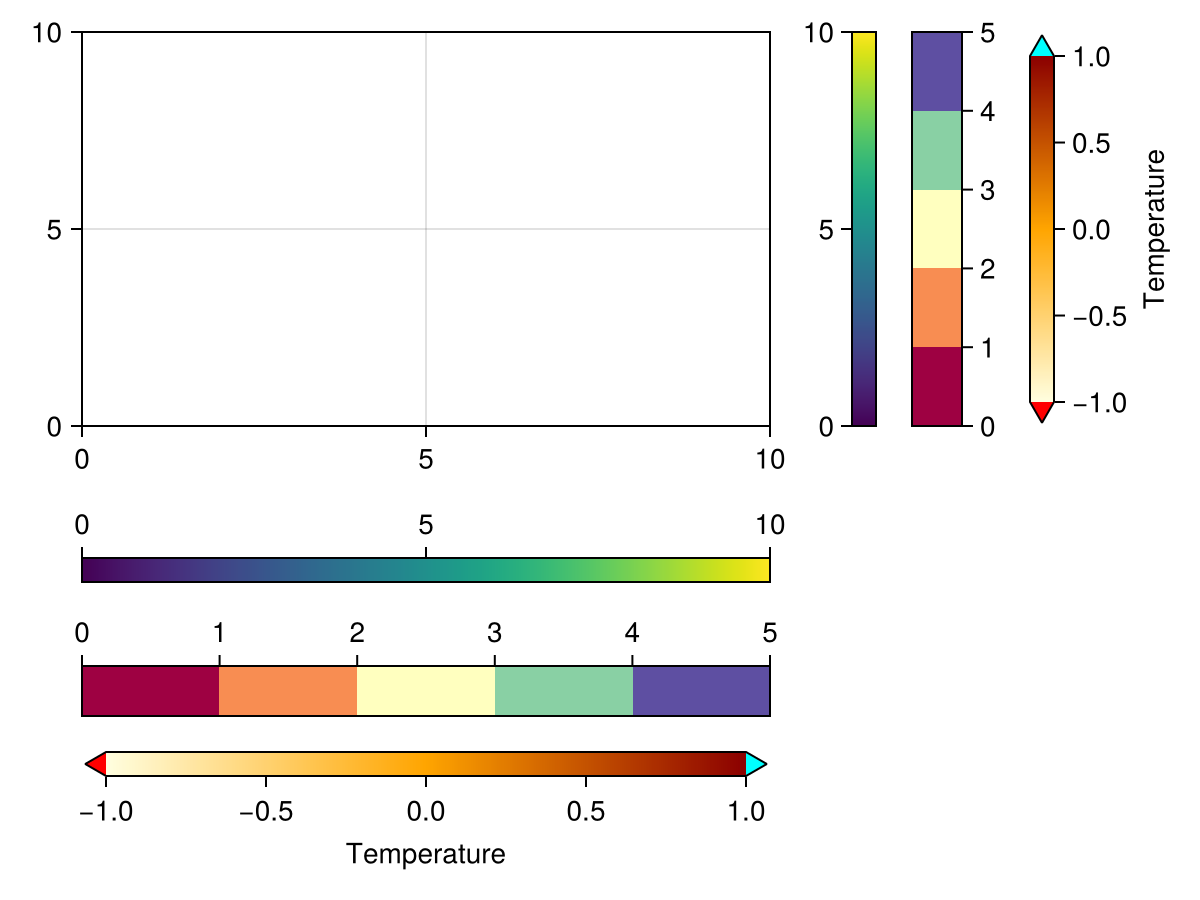
If you pass a plotobject, a heatmap or contourf, the Colorbar is set up automatically such that it tracks these objects' relevant attributes like colormap, colorrange, highclip and lowclip. If you want to adjust these attributes afterwards, change them in the plot object, otherwise the Colorbar and the plot object will go out of sync.
using CairoMakie

xs = LinRange(0, 20, 50)
ys = LinRange(0, 15, 50)
zs = [cos(x) * sin(y) for x in xs, y in ys]

fig = Figure()

ax, hm = heatmap(fig[1, 1][1, 1], xs, ys, zs)
Colorbar(fig[1, 1][1, 2], hm)

ax, hm = heatmap(fig[1, 2][1, 1], xs, ys, zs, colormap = :grays,
    colorrange = (-0.75, 0.75), highclip = :red, lowclip = :blue)
Colorbar(fig[1, 2][1, 2], hm)

ax, hm = contourf(fig[2, 1][1, 1], xs, ys, zs,
    levels = -1:0.25:1, colormap = :heat)
Colorbar(fig[2, 1][1, 2], hm, ticks = -1:0.25:1)

ax, hm = contourf(fig[2, 2][1, 1], xs, ys, zs,
    colormap = :Spectral, levels = [-1, -0.5, -0.25, 0, 0.25, 0.5, 1])
Colorbar(fig[2, 2][1, 2], hm, ticks = -1:0.25:1)

fig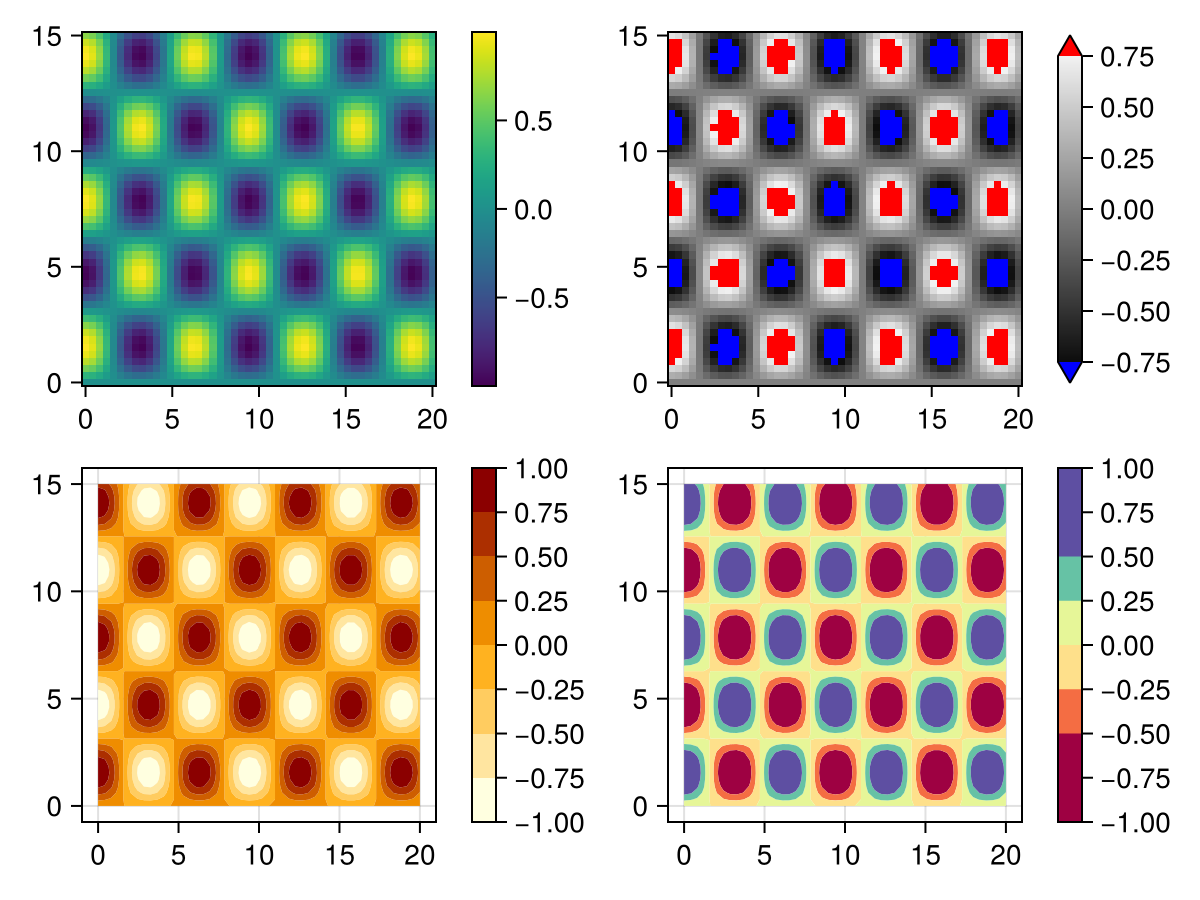
Experimental Categorical support
Warning
This feature might change outside breaking releases, since the API is not yet finalized
You can create a true categorical map with good default ticks, by wrapping a colormap into Makie.Categorical(cmap):
using CairoMakie
fig, ax, pl = barplot(1:3; color=1:3, colormap=Makie.Categorical(:viridis))
Colorbar(fig[1, 2], pl)
fig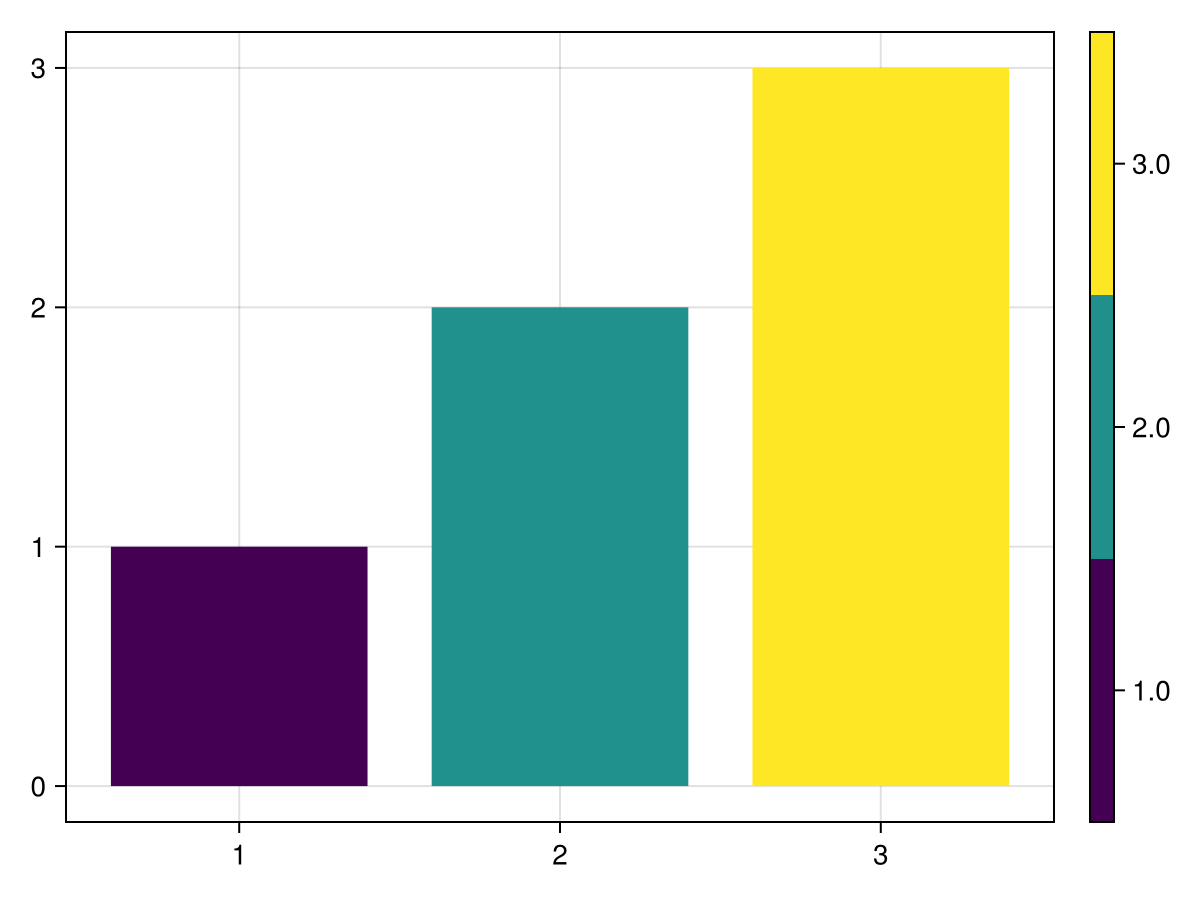
We can't use cgrad(...; categorical=true) for this, since it has an ambiguous meaning for true categorical values.
Attributes
alignmode
Defaults to Inside()
The align mode of the colorbar in its parent GridLayout.
bottomspinecolor
Defaults to RGBf(0, 0, 0)
The color of the bottom spine.
bottomspinevisible
Defaults to true
Controls if the bottom spine is visible.
colormap
Defaults to @inherit :colormap :viridis
The colormap that the colorbar uses.
colorrange
Defaults to nothing
The range of values depicted in the colorbar.
flip_vertical_label
Defaults to false
Flips the colorbar label if the axis is vertical.
flipaxis
Defaults to true
Flips the axis to the right if vertical and to the top if horizontal.
halign
Defaults to :center
The horizontal alignment of the colorbar in its suggested bounding box.
height
Defaults to Auto()
The height setting of the colorbar.
highclip
Defaults to nothing
The color of the high clip triangle.
label
Defaults to ""
The color bar label string.
labelcolor
Defaults to @inherit :textcolor :black
The label color.
labelfont
Defaults to :regular
The label font family.
labelpadding
Defaults to 5.0
The gap between the label and the ticks.
labelrotation
Defaults to Makie.automatic
The label rotation in radians.
labelsize
Defaults to @inherit :fontsize 16.0f0
The label font size.
labelvisible
Defaults to true
Controls if the label is visible.
leftspinecolor
Defaults to RGBf(0, 0, 0)
The color of the left spine.
leftspinevisible
Defaults to true
Controls if the left spine is visible.
limits
Defaults to nothing
The range of values depicted in the colorbar.
lowclip
Defaults to nothing
The color of the low clip triangle.
minortickalign
Defaults to 0.0
The alignment of minor ticks on the axis spine
minortickcolor
Defaults to :black
The tick color of minor ticks
minorticks
Defaults to IntervalsBetween(5)
The tick locator for the minor ticks
minorticksize
Defaults to 3.0
The tick size of minor ticks
minorticksvisible
Defaults to false
Controls if minor ticks are visible
minortickwidth
Defaults to 1.0
The tick width of minor ticks
nsteps
Defaults to 100
The number of steps in the heatmap underlying the colorbar gradient.
rightspinecolor
Defaults to RGBf(0, 0, 0)
The color of the right spine.
rightspinevisible
Defaults to true
Controls if the right spine is visible.
scale
Defaults to identity
The axis scale
size
Defaults to 12
The width or height of the colorbar, depending on if it's vertical or horizontal, unless overridden by width / height
spinewidth
Defaults to 1.0
The line width of the spines.
tellheight
Defaults to true
Controls if the parent layout can adjust to this element's height
tellwidth
Defaults to true
Controls if the parent layout can adjust to this element's width
tickalign
Defaults to 0.0
The alignment of the tick marks relative to the axis spine (0 = out, 1 = in).
tickcolor
Defaults to RGBf(0, 0, 0)
The color of the tick marks.
tickformat
Defaults to Makie.automatic
Format for ticks.
ticklabelalign
Defaults to Makie.automatic
The horizontal and vertical alignment of the tick labels.
ticklabelcolor
Defaults to @inherit :textcolor :black
The color of the tick labels.
ticklabelfont
Defaults to :regular
The font family of the tick labels.
ticklabelpad
Defaults to 3.0
The gap between tick labels and tick marks.
ticklabelrotation
Defaults to 0.0
The rotation of the ticklabels.
ticklabelsize
Defaults to @inherit :fontsize 16.0f0
The font size of the tick labels.
ticklabelspace
Defaults to Makie.automatic
The space reserved for the tick labels. Can be set to Makie.automatic to automatically determine the space needed, :max_auto to only ever grow to fit the current ticklabels, or a specific value.
ticklabelsvisible
Defaults to true
Controls if the tick labels are visible.
ticks
Defaults to Makie.automatic
The ticks.
ticksize
Defaults to 5.0
The size of the tick marks.
ticksvisible
Defaults to true
Controls if the tick marks are visible.
tickwidth
Defaults to 1.0
The line width of the tick marks.
topspinecolor
Defaults to RGBf(0, 0, 0)
The color of the top spine.
topspinevisible
Defaults to true
Controls if the top spine is visible.
valign
Defaults to :center
The vertical alignment of the colorbar in its suggested bounding box.
vertical
Defaults to true
Controls if the colorbar is oriented vertically.
width
Defaults to Auto()
The width setting of the colorbar. Use size to set width or height relative to colorbar orientation instead.